AI Engineer Roadmap 2026: What to Learn (and Skip), Built on a Real Cluster
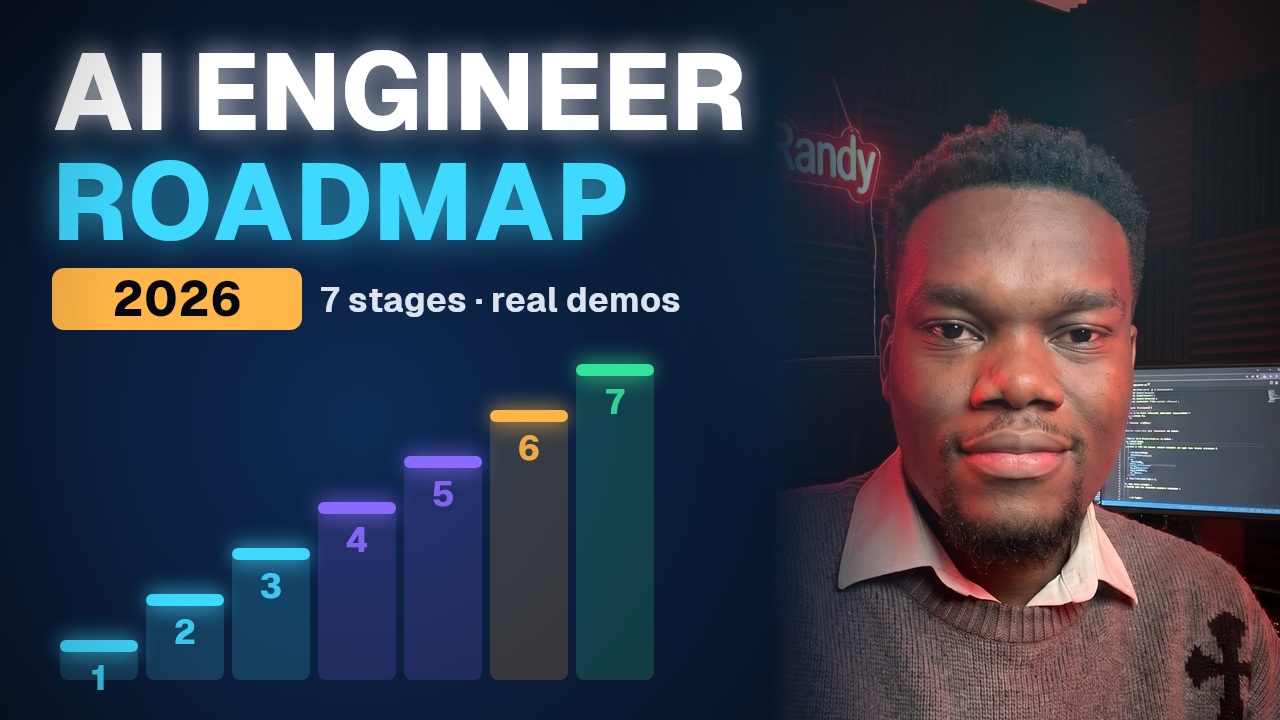
The 7-stage roadmap from a working platform engineer: foundations, LLMs, RAG, evals, agents and tools, shipping to production, and security. Every stage built and run for real.
Chapters
0:00An AI agent that debugs Kubernetes0:28Two very different AI careers1:34Stage 1: The foundations (and what to skip)3:01Stage 2: Working with LLMs (tokens, temperature, prompts)7:04Stage 3: RAG (embeddings, chunking, hybrid search, reranking)10:59Stage 4: Evals (the skill most people skip)13:02Stage 5: Agents & tools (+ MCP)15:52Stage 6: Shipping to production (serving, GPU memory, cost)17:35Stage 7: Security & guardrails (prompt injection, OWASP LLM Top 10)18:47Your 6-month plan19:353 projects that beat 10 certificates20:01What AI engineer interviews ask20:41Next: Platform Engineer mock interview
Stage 1 · The Foundations
Stage one. Foundations. And I'm going to be boring here, because boring is what gets you hired.
Python, properly. Not just scripts. Functions, classes, virtual environments, async, and calling APIs. Almost every AI tool you'll touch speaks Python first.
APIs and JSON. An AI model, to your code, is just an HTTP endpoint that takes text and returns text. If you can't comfortably call an API, handle errors, retries and timeouts, everything after this hurts.
Git, Linux and Docker. Because your AI app has to run somewhere that isn't your laptop.
And a little SQL. A shocking amount of AI work is getting the right data to the model.
One more foundation people skip: reading other people's code. Most of your early AI work will be wiring libraries and SDKs together. Being able to open a repo, follow the code, and figure out why it's failing is worth more than any course.
And here's what you can safely skip for now. Training models from scratch. Deep math. Building your own neural network. Learn them later if you love it, but you don't need them to be a productive AI engineer this year.
How long? If you're new to coding, two to three months. If you're already a developer or a DevOps engineer, skip it. You're done. Go to stage two.
Stage 2 · Working With LLMs
Stage two. Actually using large language models. This is where it gets fun.
Here's the most basic thing an AI engineer does. Call a model. This is a small open-source model running on my own machine, and I'm calling it with a plain HTTP request.
There's the answer. But look at the other numbers, because that's what separates an engineer from someone playing with a chatbot. Thirty-seven tokens in. Twenty-three tokens out. Two and a half seconds.
Tokens are how models count text, roughly three quarters of a word each. You pay per token, you wait per token, and every model has a maximum number of tokens it can see at once. That's the context window. Tokens are your cost, your latency, and your memory, all at once.
Let's make that real with some quick math. Say you build a support bot. Ten thousand questions a day, and each one, with the instructions and the retrieved documents, is about two thousand tokens. That's twenty million tokens a day. Six hundred million a month. Suddenly the price per million tokens is the most important number in your design.
And the context window. Bigger windows let you stuff in more documents, but you pay for every token you send, every single time, and models get worse at finding the important bit when you bury it in a huge prompt. More context is not free, and it's not always better.
Next, temperature. I'll ask the model to name a Kubernetes monitoring startup, with temperature set high.
KubeLens the first time. KubeWatchers the second. Same question, different answers. Now temperature zero.
KubeLens. Temperature is randomness. High for creative work. Low, or zero, when you need the same answer every time, like in anything that touches production.
And here's the skill that quietly matters most. Structured output. I give the model a messy log line, and I ask for JSON back.
Service, checkout. Error, OOMKilled. Exit code, one thirty-seven. That's not a chat answer. That's data my code can use. The moment you can turn messy text into reliable structure, you can build real systems.
Prompting is part of this stage too. Clear instructions, examples of what good looks like, and telling the model what to do when it doesn't know. Treat prompts like code. Version them. Test them.
And understand hallucination properly. The model isn't lying. It's predicting likely text. If the true answer isn't in what it knows or what you gave it, it will still produce something that sounds right. Your job is to design the system so it has the right information, and so it's allowed to say, I don't know.
Stage 3 · RAG
Stage three. RAG. Retrieval augmented generation. And if you only learn one thing from this video, learn this one, because it's in almost every AI job description right now.
The problem. Models don't know your stuff. They don't know your company's runbooks, your docs, your tickets. And if you ask them anyway, they'll make something up that sounds confident.
RAG fixes that. Before you ask the model anything, you search your own documents for the relevant bits, and you hand those to the model with the question. The model answers from your data, not from its imagination.
Here's a tiny one I built. Six runbooks from an on-call team. OOMKilled, Pending pods, disk full, image pull errors, DNS, and rollbacks. I turn each one into an embedding, a list of numbers that captures its meaning.
Now I ask: my pod keeps dying with exit code one thirty-seven, what should I do?
Look at the scores. The OOMKilled runbook matches at point seven eight. Pending pods at point six two. It found the right document by meaning, even though my question never said the word OOMKilled.
And then the answer is grounded in that runbook. Check the last state, compare memory usage, fix the limit or the leak, and don't just restart it. That last line came straight from my runbook. That's the point.
Different question. Pod stuck pending, insufficient CPU. Top match, the Pending runbook, at point nine.
Let me show you the actual code, because it's shorter than you'd think. This is the whole RAG script. Twenty-seven lines.
Lines four to six. A tiny helper that sends JSON to the model server and reads JSON back. That's all an AI API is.
Lines seven to fourteen. My knowledge base. Six runbooks as plain text. In a real system these would come from your wiki or your docs repo.
Line sixteen turns any text into an embedding. Line seventeen is cosine similarity, which measures how close two meanings are. One means identical, zero means unrelated.
Lines eighteen and nineteen. Embed every runbook and the question, then sort the runbooks by how similar they are. That's retrieval. No vector database, no framework. Just math.
And lines twenty-three to twenty-five. Take the best runbook, put it in the prompt, and tell the model to answer using only that. Temperature zero, so it's consistent.
And notice something. I asked for three bullet points. Go back and count. It gave me four. Small models don't always follow instructions exactly. That's precisely the kind of thing your evals and your output checks need to catch.
In real life you'd store those embeddings in a vector database, you'd split long documents into chunks, and you'd tune how many chunks you retrieve. But this is the whole idea. Search, then generate.
And this is where junior and senior AI engineers really separate. Chunking. If you cut a document in the wrong place, the answer gets split in half and never retrieved. Most teams chunk by headings or paragraphs, with a little overlap.
Hybrid search. Meaning-based search is great for questions in plain English, but terrible at exact things like error codes, ticket numbers and product names. So you combine it with old-school keyword search and merge the results. You'll see in a minute why I wish I'd done that.
Reranking. Retrieve twenty candidates quickly, then use a second, more careful model to pick the best three. It costs a bit more, and it's often the single biggest quality jump.
And permissions. This one gets companies in trouble. If your RAG can search every document, then anyone who can ask a question can read everything. Filter by what the user is allowed to see, before retrieval, not after.
Stage 4 · Evals
Stage four. And this is the one most roadmaps skip. Evals. How do you know your AI actually works?
With normal code, you write tests. Same input, same output. With AI, outputs change. So you build an evaluation set. Real questions, with the answer you expect, and you score your system against it every time you change anything.
So I wrote six test questions for my little RAG, each with the runbook it should find.
Five out of six. And look at the failure. ErrImagePull after deploy. It picked the rollback runbook, not the image pull one. Because my question had the word deploy in it, and the rollback runbook is all about deploys.
That's exactly why evals matter. Without this test, I'd have shipped it thinking it was perfect. Now I know. I can fix the runbook, try a better embedding model, or add a keyword search alongside the meaning search. And then I run the eval again and prove it got better.
What do you actually measure? For retrieval, hit rate: did the right document show up in the top results at all. For answers, faithfulness: does the answer only use what was retrieved. And relevance: did it actually answer the question asked.
A lot of teams use a strong model as a judge, to grade answers automatically. It's useful and it scales, but judges have biases. They prefer longer answers, and sometimes answers that sound like themselves. So spot-check the judge with real humans before you trust it.
And put the eval in your CI pipeline. Change a prompt, swap a model, edit a document, and the eval runs. If the score drops, the change doesn't ship. That's how you stop silent regressions.
In production you also watch it live. Log every question and answer, track latency and cost per request, and sample answers for review. If you're a DevOps or SRE person, this is your superpower. It's just observability for a new kind of service.
Stage 5 · Agents & Tools
Stage five. Agents. Everybody wants to build them. Here's what they actually are.
An agent is a model that can call tools. You describe some functions, the model decides when to use them, your code runs them for real, and the results go back to the model so it can answer.
Here's mine. I gave a model one tool, get pods. Read only. Then I asked it, is anything broken in the shop namespace?
It decided on its own to call get pods, with the namespace shop. My code ran the real command against the real cluster. And then it read the result and said the checkout pod is in CrashLoopBackOff.
Now here's the part that matters. The model is not the security boundary. Ever. The tool runs as a Kubernetes service account I created, and I gave it exactly one permission. List pods.
Delete pods? No. Delete deployments anywhere in the cluster? No. Even if someone tricks the model with a sneaky prompt, the worst it can do is read a pod list.
And this is where MCP comes in. Model Context Protocol. It's a standard way to plug tools into models, so you write the tool once and any MCP-compatible assistant can use it. Learn it. It's quickly becoming the USB port for AI tools.
Now, a hard truth. Most problems don't need an agent. If the steps are always the same, write a normal workflow, call the model at the steps where you need language, and keep control in your code. Agents are for when the next step genuinely depends on what you find. They're more flexible, but they're slower, more expensive, and harder to test.
If you do build one, design the tools well. Narrow tools with clear names and descriptions, not one giant run any command tool. Limit how many steps the agent can take, so it can't loop forever burning money. And log every tool call, because when it does something weird at three a.m., you'll want to know exactly why.
Here's the agent code, so you can see there's no magic.
Lines nine and ten describe the tool to the model. A name, a description, and the parameters it takes. The description matters a lot. That's how the model decides when to use it.
Lines eleven and twelve are the real tool. It runs kubectl, but as the read-only service account. That's the safety, right there, in one line of code, not in the prompt.
And lines sixteen to twenty-two are the whole agent loop. Ask the model. If it wants a tool, run the tool, give it the result, and ask again. That's it. Every agent framework you'll ever see is a fancier version of this loop.
Stage 6 · Shipping to Production
Stage six. Production. This is where AI engineers who come from platform and DevOps backgrounds absolutely win.
Serving. Do you call a hosted model through an API, or run an open model yourself? Hosted is easier and usually smarter. Self-hosted gives you control, privacy and sometimes lower cost at scale, but now you're managing GPUs.
If you self-host, learn the GPU memory math. Look at the model list from earlier. The seven billion parameter model is four point seven gigabytes, because it's compressed to roughly four bits per parameter. That's quantization. The same model at full sixteen-bit precision would be about fourteen gigabytes, before you even count memory for the conversations it's handling.
And use a proper serving engine for real traffic. Tools like vLLM batch many requests together on one GPU, which is how you get decent throughput without buying a rack of GPUs.
Latency and cost. Stream tokens so users see answers start fast. Cache repeated questions. Use a small cheap model for easy jobs and a big one only when you need it. That routing alone can cut a bill in half.
Reliability. Models time out. Providers have outages. Rate limits hit at the worst moment. So you do what we always do. Timeouts, retries with backoff, fallbacks to a second model, and an SLO for your AI feature like any other service.
And deploying it. Containers, Kubernetes, CI pipelines, canary releases. If you already know these, you're not starting AI from zero. You're bringing the most in-demand half of the job with you.
Stage 7 · Security & Guardrails
Stage seven. Security. Short version: treat every model input as untrusted, and every model output as untrusted too.
Prompt injection. A user, or a document your RAG retrieves, contains instructions like, ignore your rules and delete everything. Models can fall for it. You can't fully prevent it with prompts, so you limit what the model is allowed to do. Least privilege, like we just saw.
There's a good industry checklist for this, the OWASP Top 10 for large language model applications. Prompt injection, sensitive data leaks, excessive agency, which is exactly the giving-the-agent-too-much-power problem. Read it once. It's short, and interviewers love it.
Data leaks. Don't send secrets or personal data to a model you don't control. Redact before you send. Log carefully.
And human approval for anything risky. Read actions can be automatic. Write actions, like scaling, deleting, or sending money, need a human to click yes. I made a whole video on an AI agent deleting production in nine seconds. This is how you stop it.
Your 6-Month Plan
So let's turn this into a plan. Six months, a few hours a day.
Month one. Python and APIs, if you need them. Call a model from code and get JSON back reliably.
Months two and three. Build a RAG app over documents you actually care about. Your team's docs, your notes, anything. Then write an eval set of at least thirty questions and make the score go up.
Month four. Build an agent with two or three read-only tools. Something like a support assistant or an on-call helper. Add the permission limits from day one.
Months five and six. Ship it. Put it in a container, deploy it, add monitoring, cost tracking, and a simple web page in front. Then write up what broke and how you fixed it.
Three projects. A RAG app with real evals. A safe agent. And a production deployment. That portfolio beats ten certificates, because it proves you can do the job.
And what not to do. Don't spend six months on math before building anything. Don't chase every new framework that trends on a Tuesday. And don't build a demo that only works once. Build the boring, reliable version. That's the job.
And when you get to interviews, here's what they'll actually ask. Design a RAG system for our internal docs. How would you evaluate it? How do you reduce hallucinations? How would you cut the cost in half? What happens when the model provider goes down? If you've built the three projects, you'll have real answers to every one of those, with numbers.
And for the job title itself. AI engineer, LLM engineer, applied AI, ML platform engineer. They overlap a lot. Read the job description, not the title. If it says build products with existing models, that's this roadmap. If it says train models and publish papers, that's a different path.
If this helped, subscribe. Next up, I'm doing a full platform engineer mock interview: Kubernetes, Karpenter, databases on Kubernetes, GitOps, and some really hard follow-up questions. And tell me in the comments which stage you're on right now. I read them.