Platform Engineering Lab: Scheduling, GitOps, Terraform, Policy and Postgres
Everything from the platform engineer interview, on a 3-node kind cluster labelled as three zones: what kubectl apply really sends, topology spread, priority and preemption, Argo CD drift and self-heal, Terraform drift, quotas and RBAC for teams, a Kyverno policy that blocks :latest, and a CloudNativePG Postgres failover with zero data loss.
What you'll learn
- Read kubectl's API calls with -v=6
- Spread pods evenly across zones
- Priority classes and preemption
- Argo CD drift detection and self-heal
- Terraform state and drift
- Quotas, RBAC and admission policy for multi-tenancy
- Postgres failover with an operator
Before you start
- Docker, kind, kubectl
- Terraform 1.9+
- ~6 GB free RAM
Setup
3 workers, labelled as 3 zones
kind create cluster --name prod-east --config kind.yaml --wait 240s
Install Argo CD, Kyverno and CloudNativePG when you reach those sections
kubectl create ns argocd
kubectl apply -n argocd --server-side -f https://raw.githubusercontent.com/argoproj/argo-cd/v2.13.2/manifests/install.yaml
kubectl create -f https://github.com/kyverno/kyverno/releases/download/v1.13.2/install.yaml
kubectl apply --server-side -f https://raw.githubusercontent.com/cloudnative-pg/cloudnative-pg/release-1.24/releases/cnpg-1.24.1.yaml
Lab files
The lab
01What kubectl apply actually sends
With -v=6 you can see client-side apply: fetch the schema, GET the object (404, it doesn't exist), then POST it (201 Created). After that it's just a record in etcd until the controllers and scheduler act on it.
randy@macbook ~ % kubectl get nodes -L topology.kubernetes.io/zone
NAME                      STATUS   ROLES           AGE   VERSION   ZONE
prod-east-control-plane   Ready    control-plane   26s   v1.32.2
prod-east-worker          Ready    <none>          16s   v1.32.2   us-east-1a
prod-east-worker2         Ready    <none>          15s   v1.32.2   us-east-1b
prod-east-worker3         Ready    <none>          15s   v1.32.2   us-east-1c
randy@macbook ~ % kubectl apply -f hello.yaml -v=6 | grep -E "GET|POST|PATCH"
GET https://127.0.0.1:41373/openapi/v3 200 OK
GET https://127.0.0.1:41373/openapi/v3/apis/apps/v1 200 OK
GET https://127.0.0.1:41373/apis/apps/v1/namespaces/default/deployments/hello 404 Not Found
POST https://127.0.0.1:41373/apis/apps/v1/namespaces/default/deployments 201 Created
randy@macbook ~ % kubectl get crd
NAME                          CREATED AT
applications.argoproj.io      2026-10-27T04:36:18Z
applicationsets.argoproj.io   2026-10-27T04:36:18Z
appprojects.argoproj.io       2026-10-27T04:36:18Z
02Spread across zones
maxSkew 1 on the zone label puts two cart pods in each zone.
randy@macbook ~ % kubectl apply -f spread.yaml
deployment.apps/cart created
randy@macbook ~ % kubectl get pods -l app=cart -o custom-columns=POD:.metadata.name,NODE:.spec.nodeName --sort-by=.spec.nodeName
POD                     NODE
cart-55cd48f7cf-chfjq   prod-east-worker
cart-55cd48f7cf-vf9ph   prod-east-worker
cart-55cd48f7cf-nfhnl   prod-east-worker2
cart-55cd48f7cf-ngthd   prod-east-worker2
cart-55cd48f7cf-nmh4f   prod-east-worker3
cart-55cd48f7cf-r4r6l   prod-east-worker3
03Priority and preemption
Six low-priority batch pods fill the cluster. A critical checkout pod arrives, sits Pending for a moment, then the scheduler preempts a batch pod to make room.
randy@macbook ~ % kubectl apply -f priority.yaml
priorityclass.scheduling.k8s.io/batch-low created
priorityclass.scheduling.k8s.io/checkout-critical created
deployment.apps/batch-report created
randy@macbook ~ % kubectl get pods -l app=batch-report -o wide | awk '{print $1,$2,$3,$7}' | column -t
NAME                           READY  STATUS   NODE
batch-report-5fb9cbc655-4bbvp  1/1    Running  prod-east-worker2
batch-report-5fb9cbc655-9m44m  1/1    Running  prod-east-worker
batch-report-5fb9cbc655-rqd9b  1/1    Running  prod-east-worker3
batch-report-5fb9cbc655-rzttk  1/1    Running  prod-east-worker
batch-report-5fb9cbc655-tpvb7  1/1    Running  prod-east-worker3
batch-report-5fb9cbc655-vgls5  1/1    Running  prod-east-worker2
randy@macbook ~ % kubectl apply -f critical.yaml
pod/checkout-critical created
randy@macbook ~ % kubectl get pod checkout-critical -o wide | awk '{print $1,$2,$3,$7}' | column -t
NAME               READY  STATUS   NODE
checkout-critical  0/1    Pending  <none>
randy@macbook ~ % kubectl get events --field-selector reason=Preempted -o custom-columns=REASON:.reason,OBJECT:.involvedObject.name,MESSAGE:.message | head -4
REASON      OBJECT                          MESSAGE
Preempted   batch-report-5fb9cbc655-9m44m   Preempted by pod e96b7894-f9a8-4fc9-a7d7-37e59d1af430 on node prod-east-worker
04GitOps: drift and self-heal
Scale by hand and Argo CD marks the app OutOfSync and shows exactly which resource drifted. Turn on self-heal and it puts Git's version back.
randy@macbook ~ % kubectl apply -f argo-app.yaml
application.argoproj.io/guestbook created
randy@macbook ~ % kubectl -n argocd get applications
NAME        SYNC STATUS   HEALTH STATUS
guestbook   Synced        Healthy
randy@macbook ~ % kubectl -n guestbook get deploy,pods
NAME                           READY   UP-TO-DATE   AVAILABLE   AGE
deployment.apps/guestbook-ui   1/1     1            1           42s

NAME                                READY   STATUS    RESTARTS   AGE
pod/guestbook-ui-85db984648-dlp8l   1/1     Running   0          42s
randy@macbook ~ % kubectl -n guestbook scale deploy guestbook-ui --replicas=5
deployment.apps/guestbook-ui scaled
randy@macbook ~ % kubectl -n argocd get applications
NAME        SYNC STATUS   HEALTH STATUS
guestbook   OutOfSync     Healthy
randy@macbook ~ % kubectl -n argocd get app guestbook -o jsonpath='{range .status.resources[*]}{.kind}{"\t"}{.name}{"\t"}{.status}{"\n"}{end}'
Service	guestbook-ui	Synced
Deployment	guestbook-ui	OutOfSync
randy@macbook ~ % kubectl -n argocd patch app guestbook --type merge -p '{"spec":{"syncPolicy":{"automated":{"prune":true,"selfHeal":true}}}}'
application.argoproj.io/guestbook patched
randy@macbook ~ % kubectl -n guestbook get deploy guestbook-ui && kubectl -n argocd get applications
NAME           READY   UP-TO-DATE   AVAILABLE   AGE
guestbook-ui   1/1     1            1           113s
NAME        SYNC STATUS   HEALTH STATUS
guestbook   Synced        Healthy
05Terraform: state and drift
Terraform creates a team namespace and quota. Someone deletes the quota by hand; the next plan notices and puts it back.
randy@macbook ~ % terraform init
- Installing hashicorp/kubernetes v2.38.0...
- Installed hashicorp/kubernetes v2.38.0 (signed by HashiCorp)
Terraform has been successfully initialized!
randy@macbook ~ % terraform plan
  # kubernetes_namespace.payments will be created
  # kubernetes_resource_quota.payments will be created
Plan: 2 to add, 0 to change, 0 to destroy.
randy@macbook ~ % terraform apply -auto-approve
kubernetes_resource_quota.payments: Creating...
kubernetes_resource_quota.payments: Creation complete after 0s [id=team-payments/team-quota]

Apply complete! Resources: 2 added, 0 changed, 0 destroyed.
randy@macbook ~ % terraform state list
kubernetes_namespace.payments
kubernetes_resource_quota.payments
randy@macbook ~ % kubectl delete resourcequota team-quota -n team-payments
resourcequota "team-quota" deleted
randy@macbook ~ % terraform plan
  # kubernetes_resource_quota.payments will be created
Plan: 1 to add, 0 to change, 0 to destroy.
Note: You didn't use the -out option to save this plan, so Terraform can't
randy@macbook ~ % terraform apply -auto-approve

Apply complete! Resources: 1 added, 0 changed, 0 destroyed.
06Multi-tenancy: quotas and RBAC
A two-pod quota stops the third replica at admission (look in the events, not in get pods). The built-in edit role lets the team deploy in its own namespace, but not in others, and not change its own quota.
randy@macbook ~ % kubectl -n team-payments describe resourcequota team-quota | tail -5
Resource         Used  Hard
--------         ----  ----
pods             0     2
requests.cpu     0     2
requests.memory  0     2Gi
randy@macbook ~ % kubectl apply -f quota-test.yaml
deployment.apps/api created
randy@macbook ~ % kubectl -n team-payments get deploy api
NAME   READY   UP-TO-DATE   AVAILABLE   AGE
api    2/3     2            2           20s
randy@macbook ~ % kubectl -n team-payments get events --field-selector reason=FailedCreate -o custom-columns=REASON:.reason,MESSAGE:.message | head -3
REASON         MESSAGE
FailedCreate   Error creating: pods "api-78fbb9b7cd-7zwvh" is forbidden: exceeded quota: team-quota, requested: pods=1, used: pods=2, limited: pods=2
FailedCreate   Error creating: pods "api-78fbb9b7cd-ps7x6" is forbidden: exceeded quota: team-quota, requested: pods=1, used: pods=2, limited: pods=2
randy@macbook ~ % kubectl -n team-payments create sa payments-dev && kubectl -n team-payments create rolebinding payments-dev-edit --clusterrole=edit --serviceaccount=team-payments:payments-dev
serviceaccount/payments-dev created
rolebinding.rbac.authorization.k8s.io/payments-dev-edit created
randy@macbook ~ % kubectl auth can-i create deployments -n team-payments --as=system:serviceaccount:team-payments:payments-dev
yes
randy@macbook ~ % kubectl auth can-i create deployments -n guestbook --as=system:serviceaccount:team-payments:payments-dev
no
randy@macbook ~ % kubectl auth can-i create resourcequotas -n team-payments --as=system:serviceaccount:team-payments:payments-dev
no
07Policy: block the :latest tag
A Kyverno ClusterPolicy rejects :latest at the door, with a message telling the developer what to fix. A pinned version goes straight through.
randy@macbook ~ % kubectl apply -f kyverno-policy.yaml
clusterpolicy.kyverno.io/disallow-latest-tag created
randy@macbook ~ % kubectl run test --image=nginx:latest
Error from server: admission webhook "validate.kyverno.svc-fail" denied the request:

resource Pod/default/test was blocked due to the following policies

disallow-latest-tag:
  require-pinned-tag: 'validation error: Pin your image to a version. '':latest''
    is not allowed on this platform. rule require-pinned-tag failed at path /spec/containers/0/image/'
randy@macbook ~ % kubectl run test --image=nginx:1.27-alpine
pod/test created
08Postgres failover with CloudNativePG
Three instances, one primary. Write two orders, delete the primary pod, and the operator promotes a replica. The orders are still there.
randy@macbook ~ % kubectl apply -f pg.yaml
cluster.postgresql.cnpg.io/orders-db created
randy@macbook ~ % kubectl get cluster orders-db
NAME        AGE   INSTANCES   READY   STATUS                     PRIMARY
orders-db   95s   3           3       Cluster in healthy state   orders-db-1
randy@macbook ~ % kubectl get pods -l cnpg.io/cluster=orders-db -L cnpg.io/instanceRole
NAME          READY   STATUS    RESTARTS   AGE   INSTANCEROLE
orders-db-1   1/1     Running   0          75s   primary
orders-db-2   1/1     Running   0          43s   replica
orders-db-3   1/1     Running   0          14s   replica
randy@macbook ~ % kubectl get pvc -l cnpg.io/cluster=orders-db
NAME          STATUS   VOLUME                                     CAPACITY   ACCESS MODES   STORAGECLASS   VOLUMEATTRIBUTESCLASS   AGE
orders-db-1   Bound    pvc-a6e2ce9a-0916-4819-a893-6a72d2602086   1Gi        RWO            standard       <unset>                 96s
orders-db-2   Bound    pvc-1de3a2ec-3cf8-47f5-b7e2-da359d31cc08   1Gi        RWO            standard       <unset>                 64s
orders-db-3   Bound    pvc-5d308d8a-9f87-41a0-98db-b3bcacd821d6   1Gi        RWO            standard       <unset>                 32s
randy@macbook ~ % kubectl get svc -l cnpg.io/cluster=orders-db
NAME           TYPE        CLUSTER-IP      EXTERNAL-IP   PORT(S)    AGE
orders-db-r    ClusterIP   10.96.40.217    <none>        5432/TCP   96s
orders-db-ro   ClusterIP   10.96.235.129   <none>        5432/TCP   96s
orders-db-rw   ClusterIP   10.96.13.152    <none>        5432/TCP   96s
randy@macbook ~ % kubectl exec orders-db-1 -c postgres -- psql -U postgres -c "create table orders(id serial primary key, item text); insert into orders(item) values ('keyboard'),('monitor'); select * from orders;"
CREATE TABLE
INSERT 0 2
 id |   item
----+----------
  1 | keyboard
  2 | monitor
(2 rows)
randy@macbook ~ % kubectl delete pod orders-db-1
pod "orders-db-1" deleted
randy@macbook ~ % kubectl get pods -l cnpg.io/cluster=orders-db -L cnpg.io/instanceRole
NAME          READY   STATUS    RESTARTS   AGE   INSTANCEROLE
orders-db-1   1/1     Running   0          25s   replica
orders-db-2   1/1     Running   0          69s   primary
orders-db-3   1/1     Running   0          40s   replica
randy@macbook ~ % kubectl get cluster orders-db
NAME        AGE    INSTANCES   READY   STATUS                     PRIMARY
orders-db   2m2s   3           3       Cluster in healthy state   orders-db-2
randy@macbook ~ % kubectl exec orders-db-2 -c postgres -- psql -U postgres -c 'select * from orders;'
 id |   item
----+----------
  1 | keyboard
  2 | monitor
(2 rows)
randy@macbook ~ % kubectl get events --sort-by=.lastTimestamp | grep -iE 'failover|primary|promot' | tail -5
2m3s        Normal    CreatingPodDisruptionBudget   cluster/orders-db                       Creating PodDisruptionBudget orders-db-primary
2m3s        Normal    CreatingInstance              cluster/orders-db                       Primary instance (initdb)
27s         Normal    FailoverTarget                cluster/orders-db                       Failing over from orders-db-1 to orders-db-2
27s         Normal    FailingOver                   cluster/orders-db                       Current primary isn't healthy, initiating a failover from orders-db-1
26s         Normal    NoPods                        poddisruptionbudget/orders-db-primary   No matching pods found
Check yourself
8 questions on what happened in this lab. Pick an answer for each, then check.
Take this further
The Field Guides cover the whole topic: more labs, a troubleshooting playbook, interview questions and a 30-day plan.
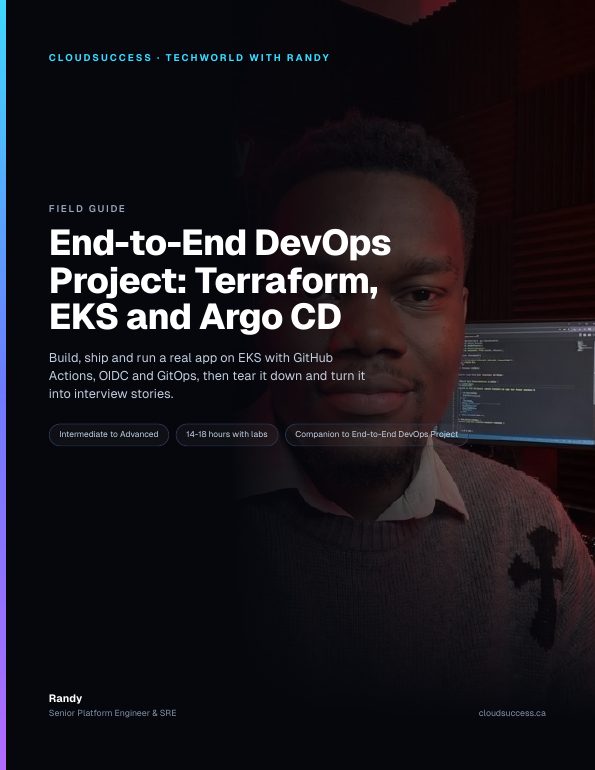
End-to-End DevOps Project: Terraform, EKS and Argo CD
Build a resume-ready AWS delivery platform end to end: Terraform, EKS, GitHub Actions with OIDC, Argo CD GitOps, then tear it all down.
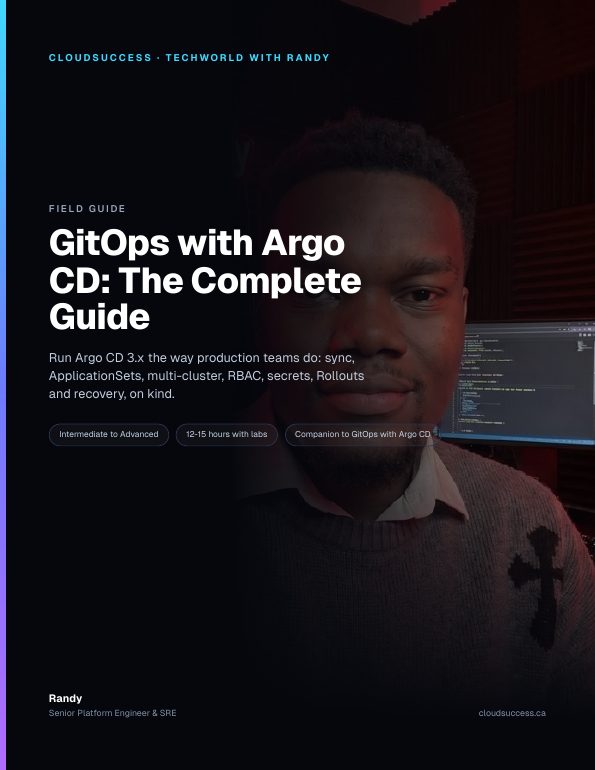
GitOps with Argo CD: The Complete Guide
Run Argo CD 3.x like a production platform team: sync, ApplicationSets, multi-cluster, RBAC, secrets, Rollouts and recovery.
Or get every guide with All-Access.
Get the next lab first
One real lab every week, straight to your inbox.
One email a week, real labs only. Unsubscribe any time.